
Explore ListingHatch
Your listing is just the beginning.
Explore real estate CRM features that connect your property pages, buyer inquiries, and follow-up. Keep the property, the person, and your next step together.
Choose an area to see what’s inside.
Listings
Start with an address. Make it your listing.
Gather a starting point, review the details, and publish a property page that is ready to share.
Address research & listing drafts
Enter an exact address to gather available property facts, description, photos, and source links into a reviewable draft. Research results depend on available sources; you control what gets published.
Manual creation & editing
Start from scratch whenever you prefer. Edit property details, price, status, description, and photos before publishing or as the listing changes.
Listing-agent research & permission
Review available listing-agent details or enter them yourself. Send a private marketing-permission request and keep the approve-or-decline response connected to the property.
Photo gallery & cover image
Review suggested photography or upload images you are authorized to use. Choose the cover, arrange the gallery, and keep your property presentation up to date.
Branded property pages
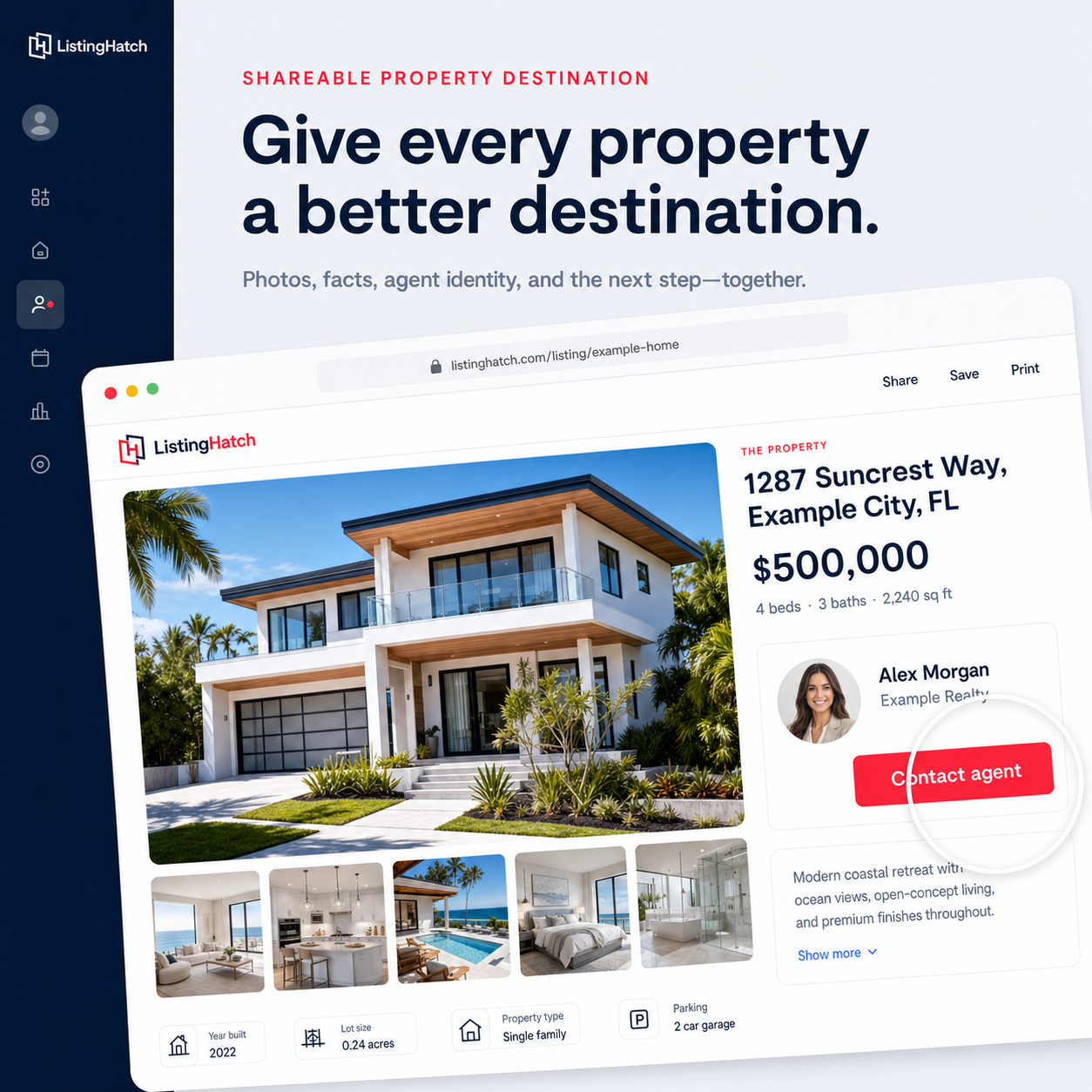
Give each property its own shareable page with photos, facts, description, and agent contact details. Visitors have a clear destination beyond a social post.
Visitor access & buyer interest
Choose complete, preview, or request-information access. Connect captured inquiries and consent to the property that interested the buyer.
Property-aware Milo
On property pages, Milo helps buyers explore the property and related listings from the same agent. Answers depend on the available property context.
Leads & CRM
Every lead. Every next step. One place.
Keep buyer relationships organized, with the properties, conversations, and next actions together.
Taylor Bennett
3 interested properties
- Follow-up task completedCalled about a second showingToday
- Note addedPrefers a showing after 4 PMYesterday
- Property sharedAnother home matched their interestsYesterday
One contact across properties
Keep repeated property interest connected to a contact profile. See interested properties, relationship status, and contact details without managing separate lists.
Activity timeline & notes
Review recorded property interest, messages, calls, status changes, notes, and completed tasks in one history. Add context at the contact or property level.
Tasks, reminders & calendar
Plan your next call or showing follow-up, set tasks and reminders, and review upcoming work in your calendar and dashboard.
Share more properties
Send another relevant property from the contact workspace and keep the sharing activity connected to the buyer’s history.
Buyer updates & price notifications
Keep subscribed buyers informed about supported price, status, open-house, and major property updates. Delivery follows their preferences and the platform’s notification rules.
Search, statuses, consent & export
Search and filter contacts, manage relationship status, archive records, review contact permission, and export contact details to CSV.
Workspace AI guidance
Ask Milo how to use listing, sharing, and contact tools without leaving the workspace. The helper adapts to the page and available context.
Open houses
Give your next open house a home.
Plan the event, share its page, and keep responses connected to the property.

You’re invited.
Saturday · 1:00–3:00 PM
Schedule & manage events
Create an event for an individual property with its date, start and end times, timezone, and visitor notes. Save drafts, publish, edit, or cancel.
Hosting permission
Confirm your authority to host or record permission for another agent’s listing. Event hosting permission remains separate from general marketing approval.
Shareable event & RSVP pages
Give visitors an event link with property details, schedule, host information, and an RSVP form. Keep registration separate from marketing consent.
Follower invitations
Preview eligible followers and choose whether to invite them. Invitations respect recipient preferences and require your confirmation.
RSVPs & contact history
Review responses for the event and retain relevant contact activity, so interest in an open house remains connected to the buyer and property.
Dashboard, calendar & listing banner
See upcoming open houses in the workspace, offer calendar downloads, and display eligible published events on the property page.
Marketing
Create once. Share with confidence.
Turn your property into branded content, with captions and links ready to copy and paste.
Branded social images
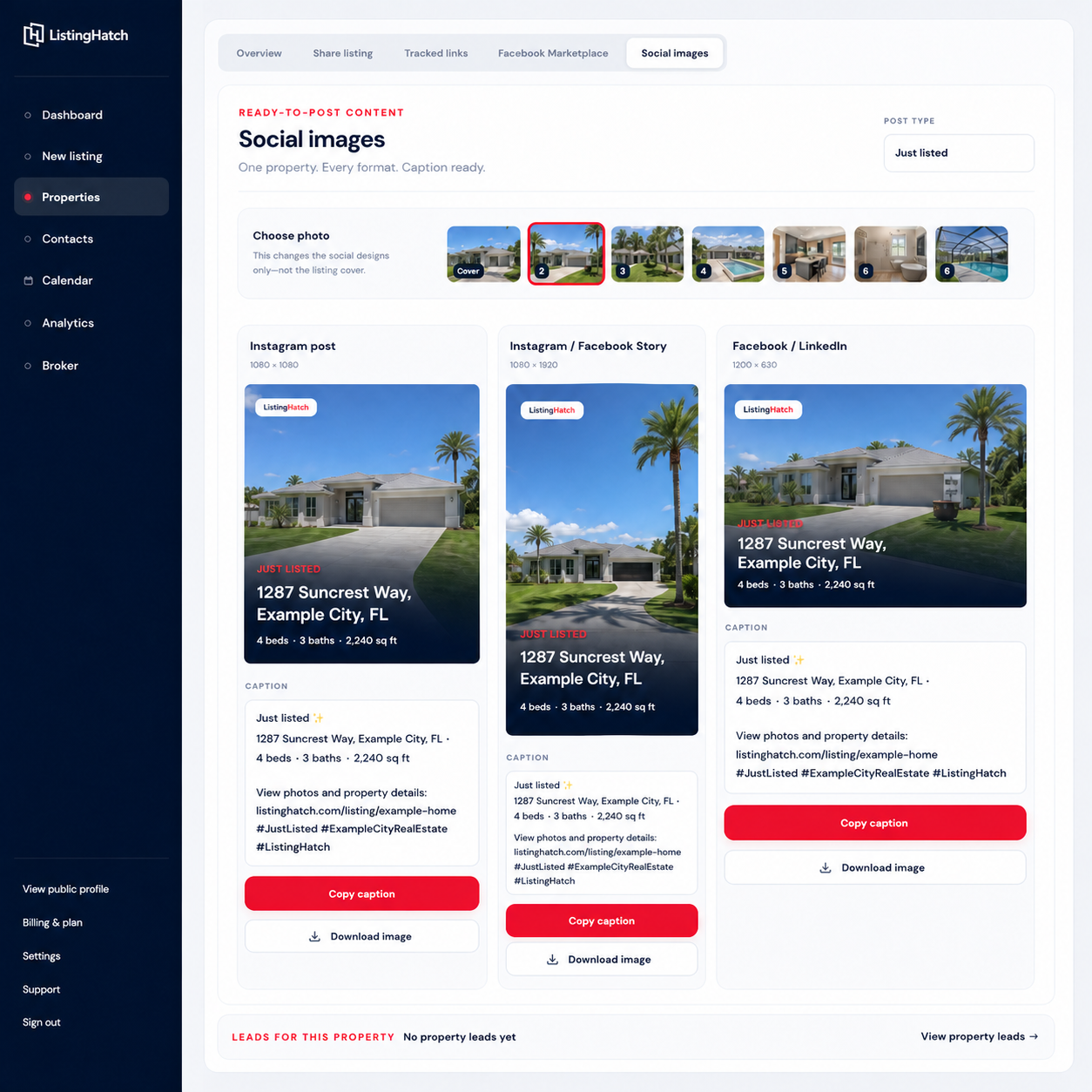
Choose a design, select property photos, and customize text, colors, and layout. Download the finished image for your own social accounts.
Copy-ready captions & property links
Use generated property captions and ready-to-copy links together, so you can paste your post without retyping the same details.
Portraits & background removal
Add your agent portrait to supported designs and use background-removal tools to prepare a cutout for your marketing.
Social & Marketplace formats
Prepare content for feeds, Stories, Facebook, LinkedIn, and Marketplace. Choose the format you need and review the wording before sharing.
Downloads & mobile sharing
Download images and copy captions or links. Use device sharing where supported. You choose when and where to publish your posts.
Tracked links & analytics
Create source-specific links for social, email, SMS, open houses, or a custom campaign. Review visits, sources, inquiries, and conversion to see where interest begins.
Agent profiles
A public profile that feels like you.
Give buyers one place to explore your properties, learn about you, and get in touch.
Photo, bio & service areas
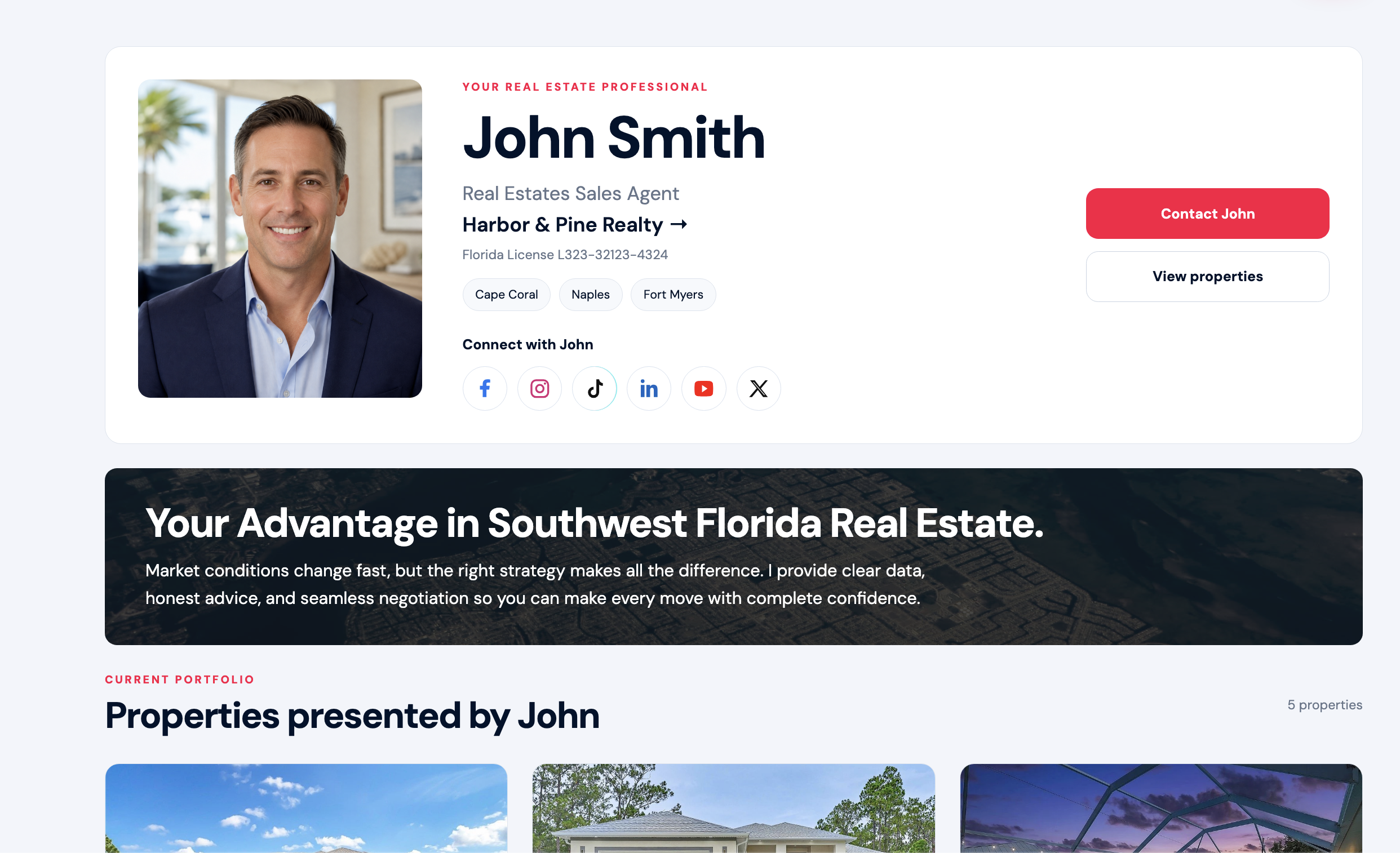
Build your public profile with a portrait, short introduction, service areas, license details, and brokerage information.
Social profile links
Add Facebook, Instagram, TikTok, LinkedIn, YouTube, and X URLs in Settings. Colored icons appear only for the links you provide.
Your property portfolio
Bring your published properties together on your agent page so visitors can explore more of what you are marketing.
Visible phone & email
Let visitors open your contact card, see your available phone and email, copy them, or choose the call and email-app actions.
Profile completion & sharing
Use the dashboard checklist to spot missing profile details, preview your public page, and copy its link to share.
Branding & brokerage connection
Keep agent identity and brokerage information connected across the public profile and property presentation.
Client reviews on your profile
Let future clients hear from people you’ve worked with, with reviews displayed alongside your profile and properties.
Broker tools
Your office. Your agents. Connected.
Give your brokerage a shared public presence while managing its team in one workspace.
Example Realty
Your office, connected.
Office identity & branding
Set brokerage information and branding for your office’s public presence and connected agents.
Public brokerage page
Show office details, contact information, properties, and the agent roster in a shareable brokerage page.
Agent invitations
Invite agents to join your office and manage their connection to the brokerage.
Team seats & access
Review your office’s agent licenses and seat availability. Plan limits and additional-seat pricing remain visible in the existing billing flow.
Billing & plan management
Manage the brokerage subscription and supported seat changes through the existing billing tools.
Connected agent portfolios
Help visitors move between the brokerage, its agents, and their published property portfolios.
View the complete feature list
Listings
Leads & CRM
Open houses
Marketing
Agent profiles
Meet Milo
Real estate CRM features with AI assistance.
Milo helps you use the tools in your workspace and helps buyers explore your property pages. Its answers use the current page and available information.
What would you like help with?
How do I create a listing?How do I work with these leads?Explore this propertyAnswers depend on the current page and available information